If you’re just starting to run ads on Meta, you should know that some categories come with extra rules. Brands in the health and wellness category face restrictions that can limit targeting and stop key events like purchases from being sent. The latest changes were announced in November 2024 and began rolling out in January 2025 to keep sensitive health information out of Meta’s ad tools.
We’ll walk you through the health and wellness policy, which brands it affects, and the three types of restrictions. You’ll also learn how to check your status in Events Manager and how to respond so your campaigns keep performing.
Key takeaways:
- What changed: Meta can limit which events a health and wellness data source can send through Meta Business Tools.
- Who’s affected: Brands whose data source Meta categorizes as health and wellness.
- What to do: Check your data source category in Events Manager, ask Meta for a review if it’s wrong, and focus on upper-funnel events.
What is Meta’s health and wellness policy?
Meta’s health and wellness policy sets the rules for what brands can and cannot promote in their advertising. It also sets the rules for what information they can share across Facebook, Instagram, and Meta’s other platforms.
For advertisers and media buyers, staying up to date matters because these ad rules decide who sees your health ads and what those ads can say. Many health products can’t be shown to anyone under 18 and can’t make misleading claims or imply the viewer has a condition.
The data rules are where tracking gets involved. Sensitive health information has to stay out of Meta Business Tools, including URLs and event names. Meta may also use the category of your data source to limit which events you can send.
Why do they do this? Meta’s ad standards come down to a few core values, like protecting people from unsafe and discriminatory practices and giving them a positive experience. Health information is especially personal, so the rules around it are tighter.
For a brand, that reaches past ad copy: the limits change what you can track, which changes how your campaigns run. Meta’s systems catch some of what shouldn’t be shared, but they don’t replace your own checks.
What brands are affected?
Any brand whose data Meta labels as health and wellness is affected. That group can be wider than you’d expect. Meta sorts each data source, like a website or app, by its topics and the products or services it offers, not just by industry. Meta lists these as examples of health and wellness sources:
- Telemedicine platforms and patient portals
- Pharmacies
- Health insurance marketplaces
- Condition-specific support groups
- Wellness trackers
Other brands land in a gray area. Take supplements, for example. A supplement made for a specific medical condition is the kind of health information Meta says businesses can’t share.
Skincare and fitness brands are harder to call. Meta doesn't name either as an example, so what your site says and sells matters more than your industry.
What are Meta’s health and wellness ad restrictions?
Meta’s ad rules for health and wellness cover who you can target, what you can say, and what you can show. Here’s the short version:
- Age: Anyone promoting dietary or health products, weight-loss, or weight-gain products, or cosmetic procedures can only target people 18 or older.
- Creative: Weight-loss, weight-gain, and cosmetic ads can’t use negative statements about someone’s body, body parts, or hygiene.
- Skin products: You can’t promote skin whitening or bleaching products that cause permanent skin color change.
- Cure claims: Claims to cure, heal, or eliminate incurable diseases and terminal illnesses, like diabetes, thyroid, psoriasis, cancer, and Alzheimer’s, aren’t allowed, even from health professionals. Treating or managing these conditions is fine.
- Clickbait: Sensational language, exaggerated claims, and promises of specific results in a set time without disclaimers are off limits in health, weight-loss, and weight-gain ads.
You can view the full list on Meta’s Health and Wellness page for the most current rules.
What do Meta’s health and wellness restrictions change for advertisers?
Some data sources fall into a restricted category (which we’ll cover below). For those, Meta now limits, or fully blocks, the event data you can send it through Meta Business Tools. When that happens, Meta notifies the advertiser by email and in Events Manager.
For health and wellness brands, that can mean limits on bottom-of-funnel events and on the types of audiences you can target.
Not every health and wellness brand gets hit the same way. Meta uses three types of restrictions on what you can share through Meta Business Tools. Which ones you get depend on how Meta labels your data, and some limits only apply in certain regions.
- Core setup: You can still send events, but Meta limits some details, like custom event details and parts of your page URLs. Custom events need your review and confirmation in Events Manager, or Meta drops them.
- Restricted standard events: Meta blocks certain standard events, often mid- and lower-funnel ones.
- Full restrictions: You can’t send event data at all in the affected regions, and custom events may be unavailable too.
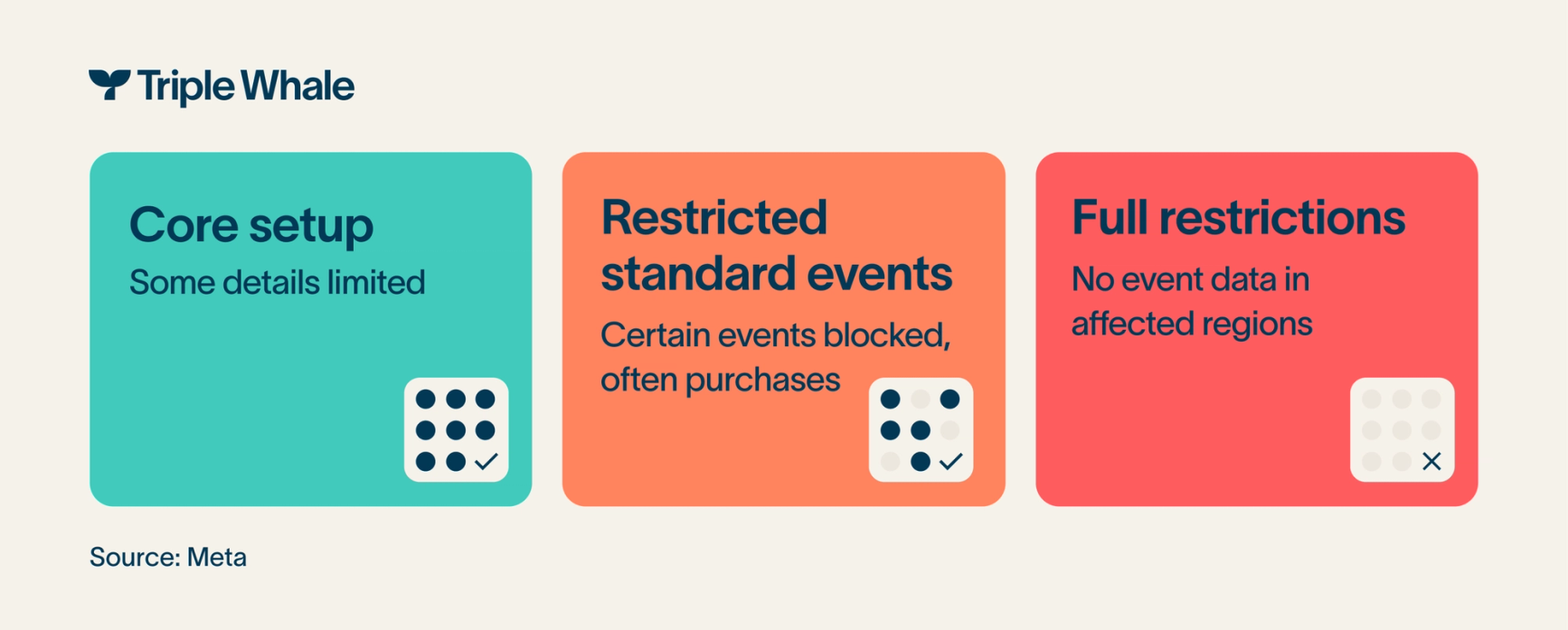
These levels apply to a data source, like a website or app, so two brands selling similar products can land in different places.
Health information you can’t send to Meta
It isn’t always obvious what counts as health data. Sensitive health details can also show up in event names, page URLs, and audience rules.
Check these four places:
- URLs and parameters: Page paths and query strings can give away health details, and so can UTM tags. A page slug that names a condition is one example.
- Event names: A name can’t reflect or imply health information. Renaming a purchase event after a condition still has the same problem.
- Custom data: Keep health details out of product IDs, content names, and other custom fields.
- Patient portals: Don’t send information about people from pages where visitors log in, like a patient portal.
You don’t have to guess what you’re sending. Events Manager notifies you when Meta removes data it thinks may be prohibited, and it shows a summary of the pages, parameters, and URLs your tools recently sent.
Three steps to respond to Meta’s health and wellness restrictions
You can’t rewrite Meta’s rules, but you can decide how you respond. Start by finding out where you stand, then adjust your plan to match. These three steps will get you there.
1) Check your category in Events Manager
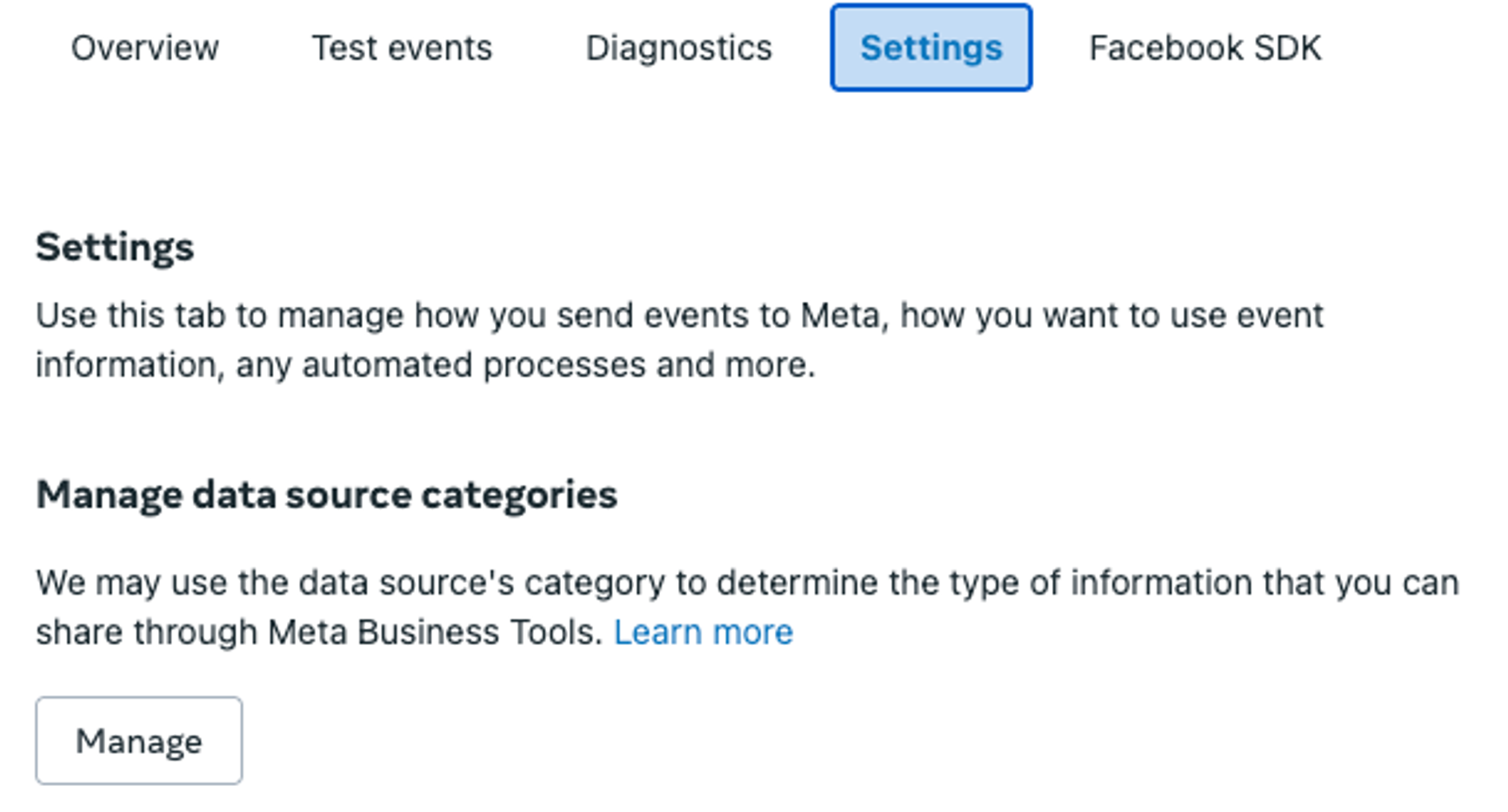
In Events Manager, go to Datasets, choose your dataset, and open Settings. Under Manage data source categories, you’ll see if Meta lists you as health and wellness.
2) Ask for a review if the category is wrong
If the category is wrong, ask Meta to review it. Keep in mind that a review may take a while and the result isn’t guaranteed.
3) Shift advertising focus to upper-funnel events
Because specific mid- and lower-funnel events will be restricted, Meta recommends advertisers focus on upper-funnel events to maintain effective audience targeting and campaign optimization. Ads aimed at bottom-of-funnel events can still run, but they’d likely lose efficiency and effectiveness over time if the restricted standard event is required for campaign targeting, optimization, or measurement.
Meta ads for health and wellness: How Triple Whale can help
Triple Whale can give you another view of your results. Triple Pixel tracks what visitors do on your site and credits purchases to the ads that played a part in each customer’s journey.
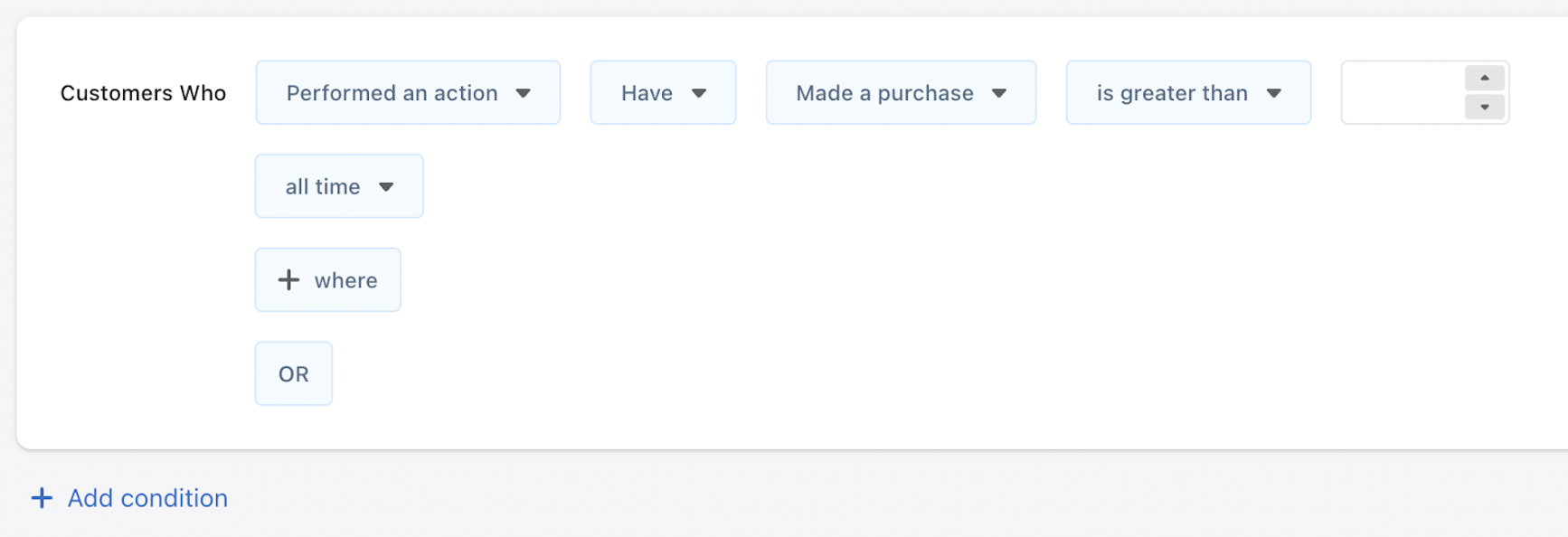
You can send a customer segment, like people who bought in the last 14 days, to Meta as a Custom Audience that updates as people start or stop matching your segment. But there’s one catch: Meta shows the audience with your segment’s name in it, so neither the name nor the rules behind it can point to a health condition.
Health and wellness brands may need to lean on top-of-funnel campaigns, which can mean broad audience targeting. Ad copy, content, and creative may also need updating.
Create custom events with Sonar Optimize for Triple Whale
The other thing you can try is Sonar Optimize, which sends enriched first-party customer and conversion data from Triple Whale to supported ad platforms. Sonar Custom Events for Meta are purchase events that Triple Whale tracks and sends to Meta through your Conversions API (CAPI). They let you focus on the customer actions that matter most to you.
You can turn on three pre-built events: New Customer Purchase, Returning Customer Purchase, and Initial Subscription Purchase. Or create your own, like orders over $100 or purchases that use a specific discount code.
Once Sonar ends a custom event, it’ll show up in Meta Events Manager. You need to approve it there before it can be used in a campaign. Meta may not let you confirm events it detects as potentially containing prohibited information.
Want to see how Sonar Custom Events for Meta would work for your store? Book a demo today to see it in action.
Meta’s health compliance: FAQs
Which brands does Meta’s health and wellness policy affect?
Meta’s health and wellness ad policy affects any brand whose data Meta labels as health and wellness. The platform lists telemedicine platforms, patient portals, pharmacies, health insurance marketplaces, wellness trackers, and condition-specific support groups as examples.
What are Meta’s health-related audience targeting restrictions?
They depend on how Meta labels your data. A restriction can limit the audiences you can target, along with bottom-of-funnel events. Names and rules for custom audiences also can’t reflect or imply health information.
Can I get the health and wellness category removed?
Only if Meta agrees the category is wrong for your data source. Ask for a review in Events Manager, under Manage data source categories.
Do custom events still work?
It depends on your restriction type. Under core setup, custom events must be reviewed and confirmed. Under full restrictions, they may not be available.